
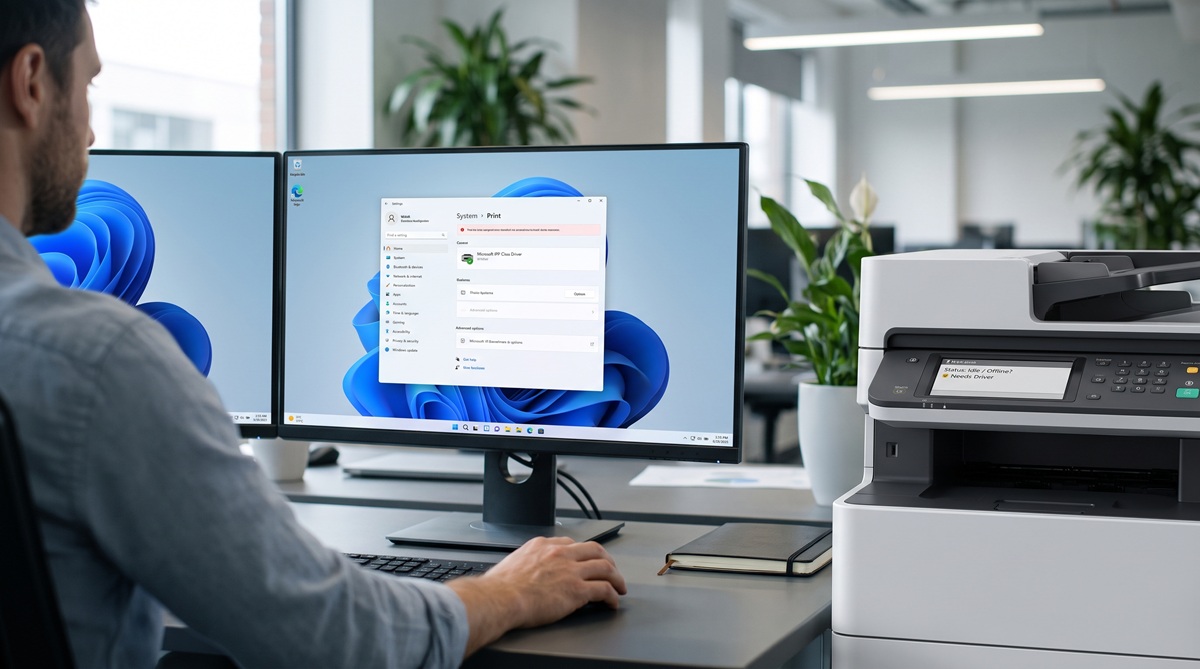
For decades, setting up a printer on Windows followed a familiar ritual: find the manufacturer’s website, download a bulky driver package, and hope it didn’t conflict with the next Windows update. Microsoft is now steadily moving away from that model toward a standardized, driverless one.
The shift is gradual, and it is not a “kill switch.” Microsoft has said that V3 and V4 printer drivers remain supported. But if your printer has stopped responding to print request, you’ve recently added a printer and noticed missing settings, or your application print outs are suddenly not lining up as they did before, these changes are a likely cause.
Symptoms of this issue are currently coming across our support desk so we want to bring you up to speed.
What Actually Changed?
Microsoft’s plan is a multi-year phase-out built around two efforts: promoting the built-in Microsoft IPP Class Driver. It works with Mopria-certified printers, and offers the optional, stricter security mode Windows Protected Print (WPP).
Here is where the roadmap stands:
- January 15, 2026: Legacy third-party printer drivers submitted to Windows Hardware Quality Labs (WHQL) for publication on Windows Update are now approved only on a case-by-case basis, according to Microsoft’s end-of-servicing plan.
- July 1, 2026: Windows changed its driver ranking order so the built-in IPP Class Driver is preferred over third-party manufacturer drivers.
- July 1, 2027: Except for security-related fixes, third-party printer driver updates will no longer be allowed through Windows Update.
Existing drivers are not being deleted. You can still install a manufacturer’s driver package manually, and existing third-party drivers remain available. You will find Windows operating system updates do sometime require re-installation of those drivers.
WPP is a different matter. Introduced with Windows 11 24H2, it is optional today. When enabled, it removes third-party printer drivers entirely and restricts printing to Microsoft’s class drivers. This means it works only with Mopria-certified printers. Microsoft has not announced a date for making WPP the default, but its direction suggests that is where they are heading.
A Note on Microsoft’s Correction
An earlier Windows roadmap entry said Windows would “no longer support V3 and V4 printer drivers.” Microsoft acknowledged that statement was inaccurate and removed it. What is changing is how drivers are ranked, delivered, and updated, not whether existing drivers are supported.
Why Did Microsoft Make This Change?
To many users, moving away from working drivers feels like unnecessary disruption. From Microsoft’s perspective, the legacy print architecture had three main problems:
- Security: The Windows Print Spooler and third-party drivers, many of which run with broad system privileges, have long been vulnerable to attack. Printer drivers have been tied to serious vulnerabilities in the past, including the PrintNightmare class of exploits. A standardized print stack reduces that risk.
- Reliability and simplicity: Supporting thousands of vendor-specific drivers across millions of Windows configurations leads to crashes, broken updates, and endless troubleshooting.
- Open standards: Other platforms moved to driverless printing years ago. Windows is aligning with Mopria and the Internet Printing Protocol (IPP). With one inbox class driver, Windows can talk to any compliant printer out of the box. Manufacturers can add brand-specific features through Print Support Apps from the Microsoft Store.
Common Issues Users and IT Teams Are Seeing
The July 2026 ranking change affects which driver Windows chooses when it installs a printer from Windows Update. It does not affect drivers that are already installed, or drivers installed from a manufacturer’s package. Even so, several side effects are worth knowing about:
- Missing advanced features: If you remove and re-add a printer, Windows may now select the generic IPP Class Driver instead of your old manufacturer driver. Basic printing works, but features such as custom tray mapping, finishing options, color profiles, or watermarks may disappear unless the manufacturer offers a compatible Print Support App.
- Specialist hardware: Standard office laser printers are usually Mopria-certified. Label printers, receipt printers, plotters, and older devices often are not. They still depend on vendor drivers, so PCs that use them cannot turn on WPP without breaking those workflows.
- Vendor scan utilities: Multifunction printers can still scan over standard protocols such as eSCL and WS-Scan. Proprietary manufacturer scanning apps, however, may stop working if the underlying third-party driver is bypassed or removed.
- Print management workflows: Organizations that rely on driver-based pop-ups for PIN printing, cost-center billing, or secure release may find those prompts no longer appear under the IPP driver. That can force a move to server-side or cloud-based print management.
What Should You Do Next?
Home users: If your printer works, there is no need to delete and re-add it. If a recent setup swapped your printer to the Microsoft IPP Class Driver and you lost features you need, download the full driver package from your manufacturer’s website and install it manually.
IT administrators: The 2026–2027 window is your runway. Audit your printer fleet to see which devices are Mopria-certified, pilot the IPP Class Driver with a small group, identify workflows that depend on driver-based features, and make Mopria certification a requirement for new hardware purchases. The smoother you plan the transition now, the fewer print emergencies you’ll face as third-party driver servicing winds down.
Sources: Microsoft Learn, “End of servicing plan for third-party printer drivers on Windows”; Microsoft Tech Community, Windows IT Pro Blog; reporting from Tom’s Hardware and TechRadar on Microsoft’s roadmap clarification.